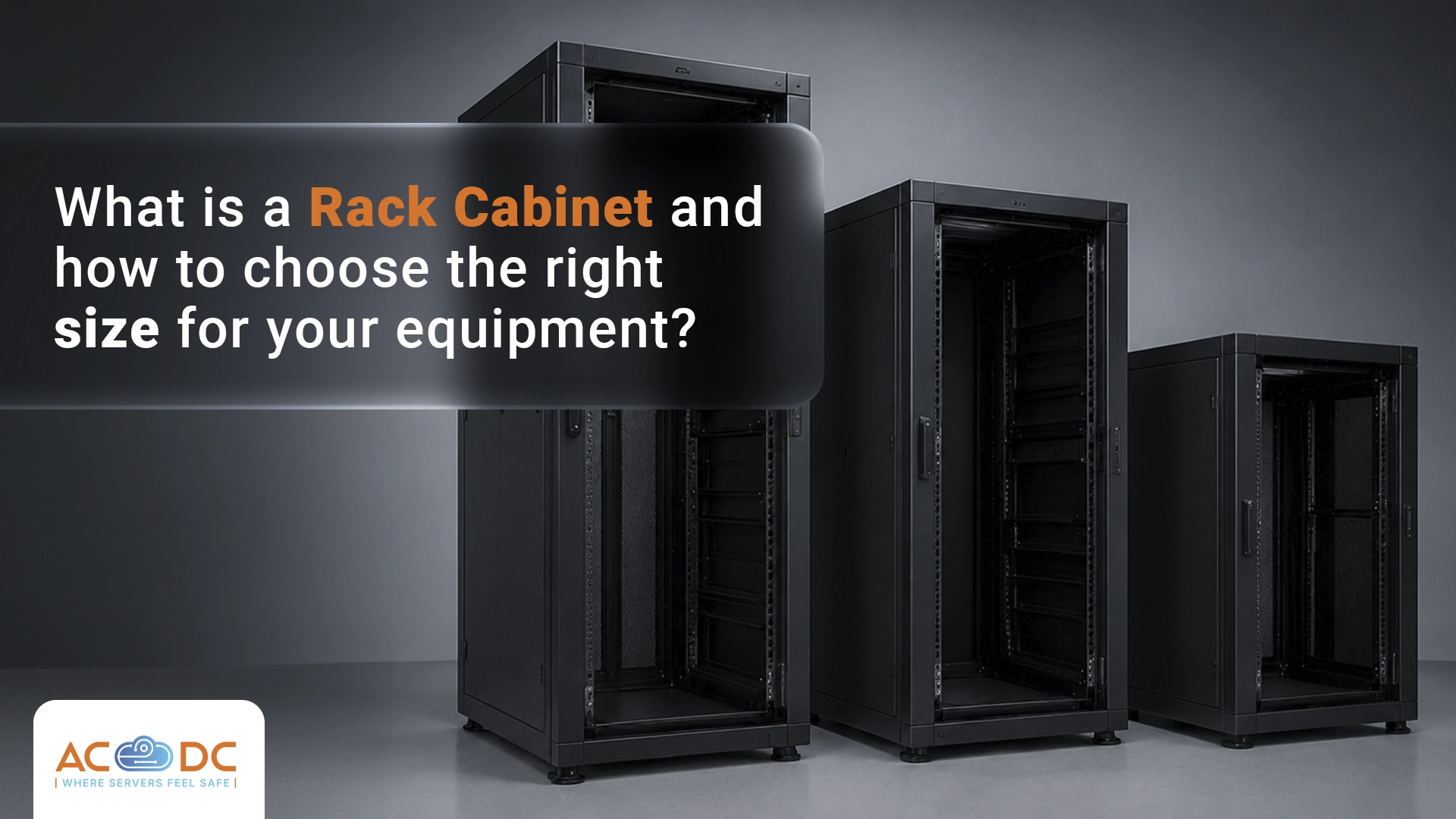






When your business needs server colocation in a data center, one of the first questions regards the space you need. In other words, you need to select a rack cabinet – the standard cabinet where server equipment is mounted.
Choosing the right size is not to be underestimated. Too little space can be restrictive and create problems with cooling and cabling. Too much may mean you're paying for unused capacity.
In this article, we explain in more detail what a rack cabinet is, how it is measured, and how to determine how much space you actually need.
What is a Rack Cabinet?
A rack cabinet (server cabinet, rack, or simply "rack") is a standardized metal structure designed for mounting servers, switches, patch panels, UPS devices, and other IT equipment. Instead of having your equipment lying on a desk or the floor, it is horizontally secured in the rack using mounting rails, providing proper storage, efficient airflow management, and physical protection.
Rack cabinets have a standard width of 19 inches (482.6 mm). That’s why most servers are labeled as “19-inch” – not because the device itself is that wide, but because it is designed for mounting in a 19-inch rack. There are also 21-inch and 23-inch standards, but 19-inch is the universal standard for IT equipment.
How is a Rack Cabinet Measured: Rack Unit (U)
While the width is standard, the main dimension that varies between rack cabinets is the height. It is measured in Rack Units (abbreviated U or RU).
1U = 44.45 mm (1.75 inches)
This is the unit of space in a rack cabinet. Each device intended for rack mounting occupies a certain number of Us:
- Standard 1U server: 44.45 mm
- 2U server: 88.9 mm
- Standard switch (1U): 44.45 mm
- 2U UPS: 88.9 mm
.. and so on.
A standard rack cabinet is 42U tall, or about 2 meters. That’s also the standard space at most data centers. There are also shorter versions: 12U, 18U, 24U, 36U, used for smaller installations or office environments.
Types of Rack Cabinets
- Open rack (open frame): structure without side panels or doors. Provides maximum airflow and easy access, but low physical protection.
- Closed rack cabinet (enclosed rack): rack with doors, side panels, and back. Provides physical protection of equipment, airflow management via ventilation, and locks. This is also a standard option in colocation services where each client has their own locked cabinet.
- Wall-mount rack: small cabinet designed for wall mounting. Typical for office with little equipment (switch, patch panel, small server). Not suitable for data centers.
Colocation: What You Rent in the Data Center
For server colocation in a data center, you can rent:
- Shared rack space: Server colocation in a shared rack, where you rent a specific number of Us. Suitable for small equipment (1-2 servers). This is the most economical startup option.
- Dedicated rack/rack colocation: The entire rack is available to you, with a dedicated lock. This is the standard choice for companies with more equipment or with physical isolation requirements. Provides maximum flexibility and scalability.
- Hall: A separate room with solid walls and specific access methods, often with independent power and cooling.
- Cage: A physically fenced part of the data hall with multiple racks, intended for companies with a lot of equipment or special security needs. Typical for large-scale installations.
At AC☁DC we offer flexible options for our clients – from shared racks for small equipment to full racks and custom setups (cage and room) for larger-scale needs.
Practical Tips for Rack Selection and Equipment Installation
- Label your equipment before installation. Every server, switch, and cable should be clearly labeled. In a rack with many unlabeled devices, distinguishing equipment during intervention is slow and risky.
- Plan your cable management. Cables take more space than they seem. Allow 1U for a cable organizer for every 4-5U of equipment. Unorganized cabling blocks airflow and makes future interventions significantly more complicated.
- Distribute weight evenly. Mount heavy equipment (UPS, storage arrays) at the bottom of the rack.
- Leave 20% free space. Even if your current equipment fills the rack, a 20% reserve is the reasonable minimum, allowing for future growth.
- Document the installation. Take photos of the cabling and write down which cable goes to which device. This documentation is invaluable for Remote Hands tasks or when intervention is needed by an IT specialist unfamiliar with the installation.
If you’re already using data center services, there are certain signs your current space is insufficient: rack capacity over 80% full, equipment temperature consistently above recommended levels, poor cabling organization, or the need to add new equipment.
If you are just now moving to a data center solution with us, our team will help you select the most suitable rack for your equipment, with enough U for proper operation. We offer budget options for smaller businesses, as well as fully tailored solutions for larger companies with more equipment.
You can contact our team for more information, as well as request a data center tour to view the infrastructure and see for yourself the reliable service we provide.
Read more: Is Your Company Ready to Move Its Servers to a Data Center?
Свържете се с нас
Интересувате се от колокация на сървъри или други услуги? Свържете се с екипа ни още сега.

 23 September, 2026
 16 September, 2026
 9 September, 2026
 27 August, 2026
 18 August, 2026
 4 August, 2026
 28 July, 2026
 21 July, 2026
 15 July, 2026
 7 July, 2026
 30 June, 2026
 21 June, 2026
 16 June, 2026
 9 June, 2026
 2 June, 2026
 27 May, 2026
 19 May, 2026
 12 May, 2026
 6 May, 2026
 21 April, 2026
 15 April, 2026
 8 April, 2026
 1 April, 2026
 24 March, 2026
 18 March, 2026
 11 March, 2026
 4 March, 2026
 26 February, 2026
 19 February, 2026
 5 February, 2026
 3 February, 2026
 27 January, 2026
 20 January, 2026
 13 January, 2026
 8 January, 2026
 4 January, 2026
 22 December, 2025
 17 December, 2025
 10 December, 2025
 4 December, 2025
 26 November, 2025
 17 November, 2025
 11 November, 2025
 4 November, 2025
 27 October, 2025
 20 October, 2025
 8 October, 2025
 5 October, 2025
 30 September, 2025
 19 September, 2025
 15 September, 2025
 4 September, 2025
 29 August, 2025
 23 August, 2025
 16 August, 2025
 12 August, 2025
 6 August, 2025
 28 July, 2025
 22 July, 2025
 15 July, 2025
 11 July, 2025
 3 July, 2025
 19 June, 2025
 3 June, 2025
 27 May, 2025
 21 May, 2025
 14 May, 2025
 7 May, 2025
 29 April, 2025
 23 April, 2025
 14 April, 2025
 8 April, 2025
 27 March, 2025

 0882 355 203